Is this drawdown normal, or is the strategy broken?
Live drawdown monitoring and backtest-based position sizing for MT4/MT5 algo traders.
> Free: 1 live account, 2 strategies. No card.
- Free live account
- 1
- Free strategies
- 2
- Free calculators
- 8
- Guides
- 19
Know what your backtest said was possible.
Watchdog compares your live MT4/MT5 account with your own backtest and emails you when your results diverge from it. Allocate uses the same backtests to size each strategy's risk. Calculate is a set of free calculators for the maths you do by hand. Read-only: Cephic cannot place or change a trade.
Works with
Three tools, one backtest.
No signals to follow and no strategies to sell. Upload your Strategy Tester reports once and every tool works from the same data.
- MetaTrader 4
- MetaTrader 5
- Strategy Tester reports
- Prop-firm presets
- Chrome extension
- Read-only EA
Build your risk desk
Monitor the live account, size the portfolio, check the maths. Each tool stands alone.
How it works
Three steps. No configuration.
-
TKT-01 / CONNECT
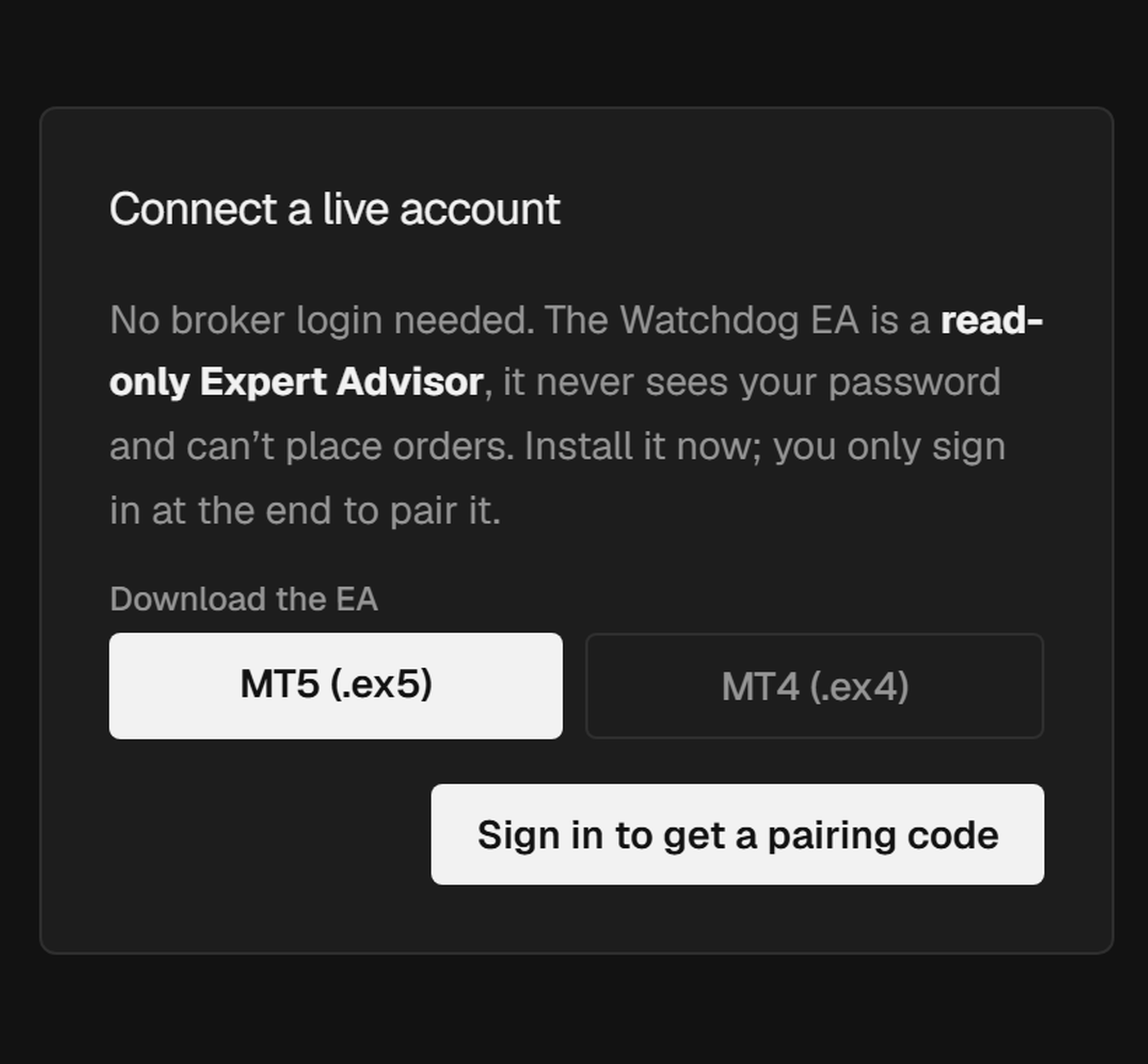
Install the EA
Drop the free Watchdog EA onto any MT4/MT5 chart. It takes 2 minutes and runs silently alongside your existing strategies.
-
TKT-02 / UPLOAD
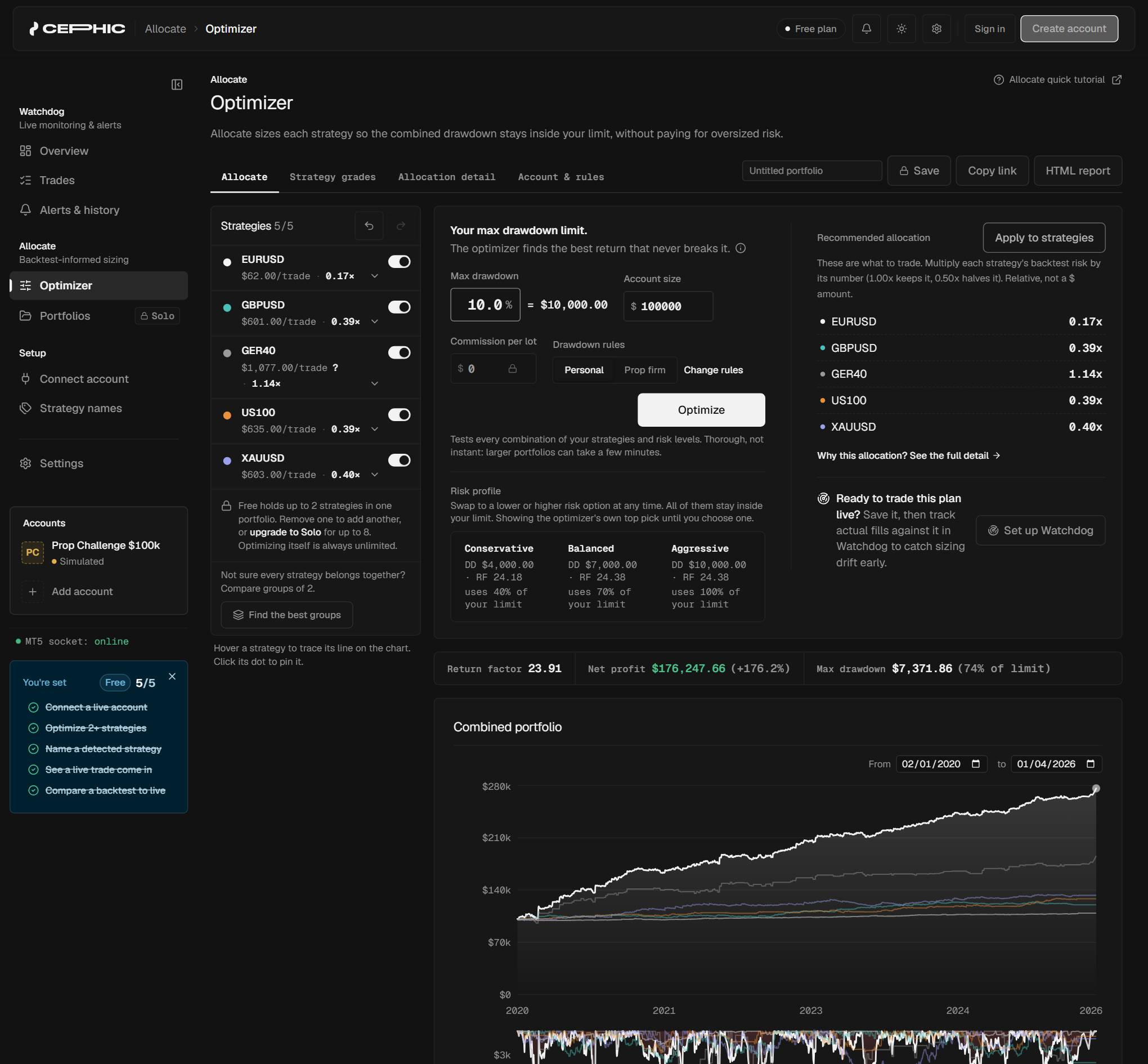
Upload your backtests
Drop in your MT Strategy Tester reports. Allocate grades each one and finds the optimal combined weighting.
-
TKT-03 / WATCH
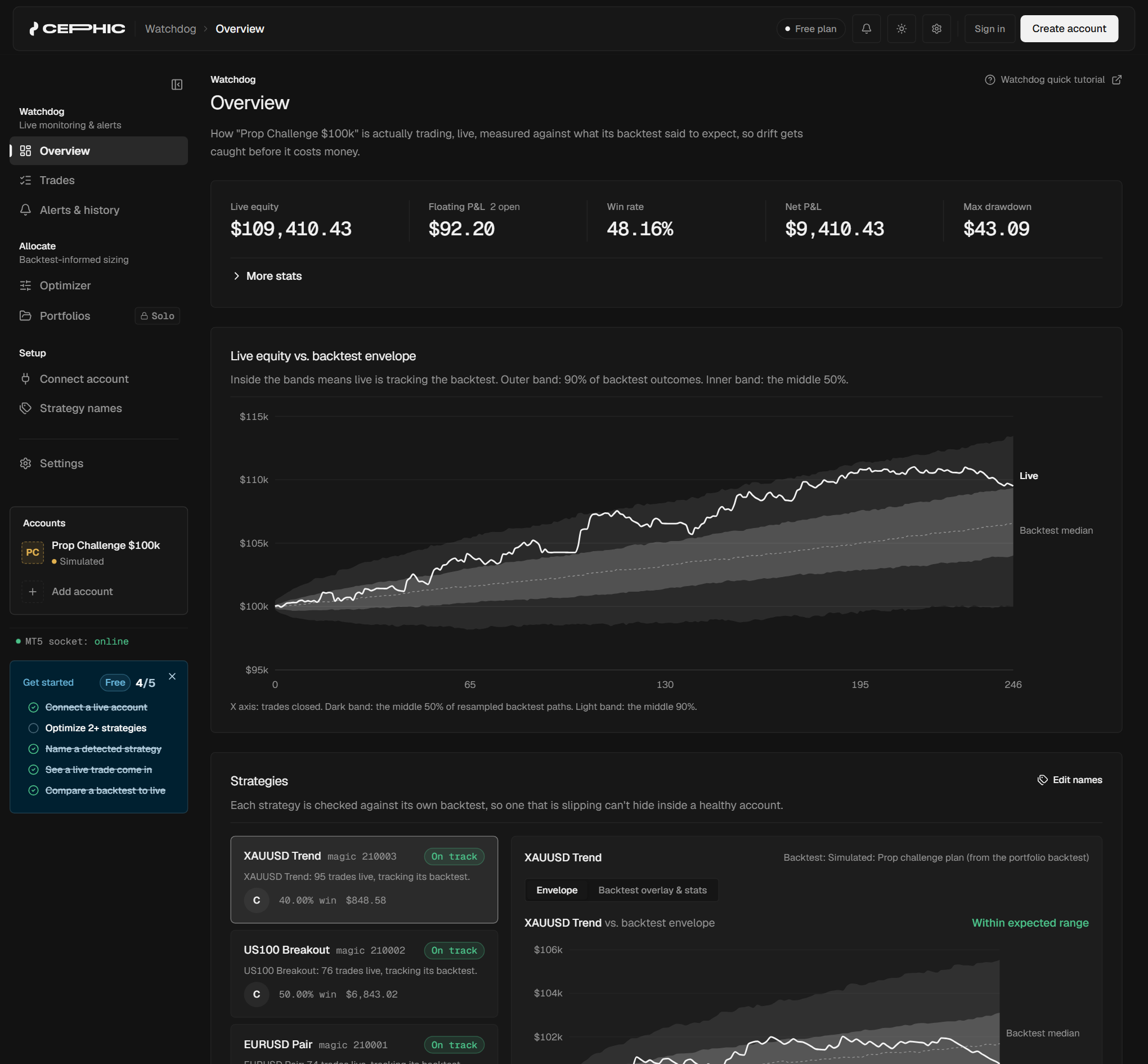
Watch it live
Watchdog compares your live account against your backtests in real time. Get alerted the moment something drifts.
Watchdog / Beta
Know if your drawdown is normal.
Live account and rule tracking, with a statistical read on whether your drawdown is within backtested expectation, not just a gut feeling.
Allocate
Stop splitting risk evenly.
A coordinate-ascent optimizer (an algorithm that nudges each strategy's weight up or down, step by step, until the mix is optimal) weights your strategies by what actually happened in testing, not a guess.
Open Allocate →
Calculate / Free
Size every trade with confidence.
Position size, margin, and risk calculators that work without an account. Handy if you do the maths by hand, or just want to sanity-check a number before you place it.
See the free calculators →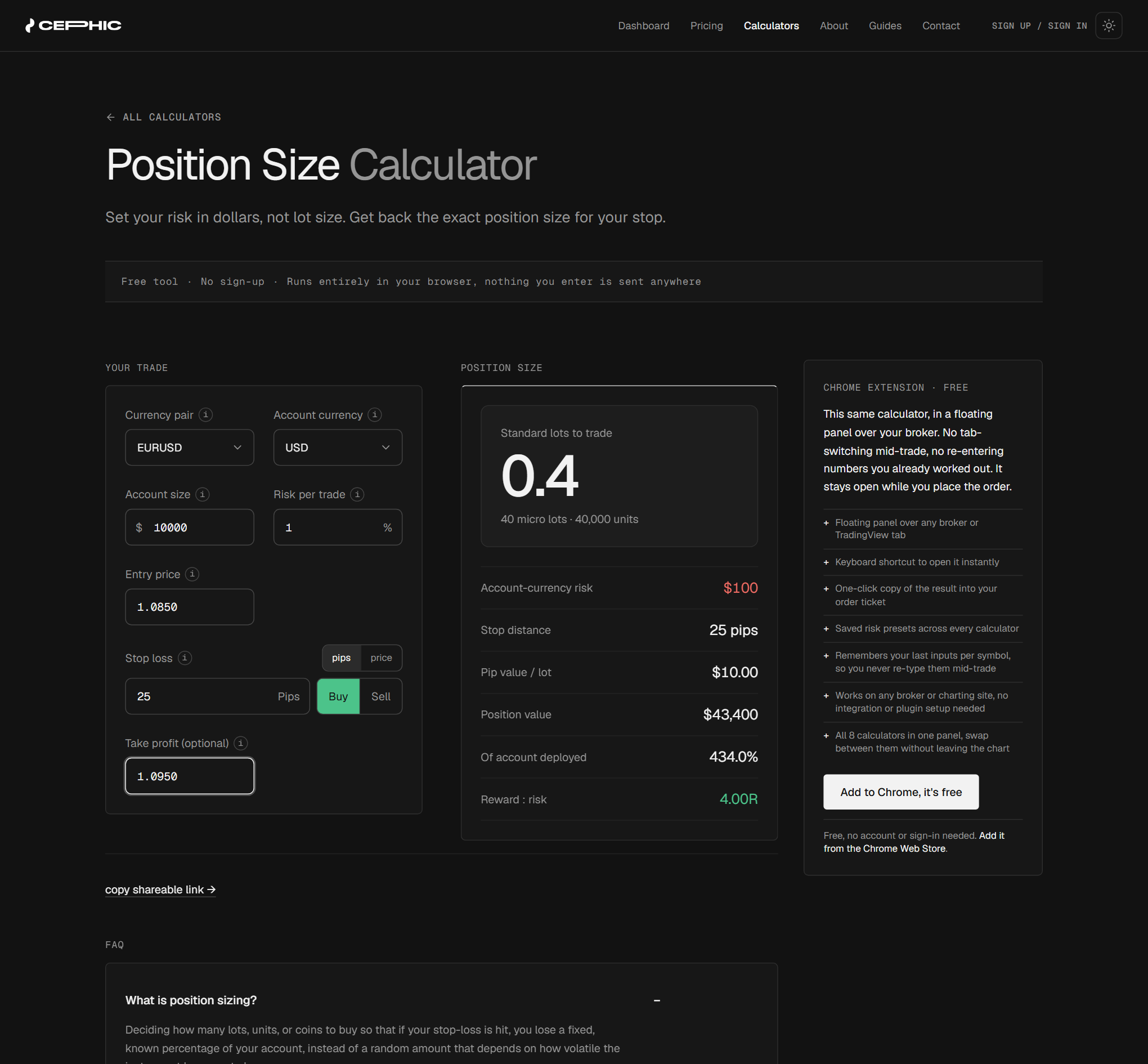
Trust
Facts you can verify.
- READ-ONLYWatchdog connects read-only, one-way, through an EA you install yourself. Cephic can never place a trade, modify an order, or move money on your behalf.
- NO SIGNALSNo signals, no strategies to sell. Three tools, nothing else to subscribe to.
- 14-DAY REFUNDGenuine 14-day, no-questions-asked refund on any paid plan, cancelled and refunded instantly from account settings.
- YOUR DATAExport or permanently delete your data any time. See the Privacy Policy.
Pricing / Launch offer: 50% off to start
Free to start. Pay when it's worth it.
| Plan | Includes | Price |
|---|---|---|
| Free | 1 live account in Watchdog, 2 strategies in Allocate. No card, no end date. | $0 |
| Solo | 3 live accounts, 8 strategies, 1 saved portfolio. | $14.50/mo, then $29 |
| Pro | 10 live accounts, unlimited strategies, 5 saved portfolios. | $34.50/mo, then $69 |
| Studio | Unlimited accounts, strategies and portfolios. | $74.50/mo, then $149 |
14-day, no-questions-asked refund on any paid plan. Cancel or downgrade anytime: you keep full access until your billing period ends, then drop down with your data untouched.
FAQ
Is my MT4/MT5 login safe to connect?
Yes. Watchdog never sees your broker username or password. You install the free Watchdog EA in your own MT4/MT5 terminal and pair it to your account with a one-time code. The connection is read-only and one-way: Cephic can never place a trade, modify an order, or move money on your behalf, under any circumstance.
Does Cephic use MetaAPI or another broker-connectivity provider?
No. Watchdog's live-account connection runs entirely through your own MT4/MT5 terminal and the EA you install yourself. Cephic doesn't route your account through MetaAPI or any other third-party broker-connectivity service.
What's included in the free plan?
1 live account in Watchdog, up to 2 strategies in Allocate, drawdown gauges and limit tracking, and the prop-firm preset dropdown, all with no credit card required, forever.
What happens if I downgrade or cancel a paid plan?
Nothing is deleted. You keep full access to your current plan until the end of the billing period you've already paid for. Then it drops to Free (or your new plan), with every saved portfolio, strategy, and history entry still intact. Re-upgrade anytime to pick back up where you left off.
What's your refund policy?
A genuine, no-questions-asked 14-day refund on any paid Cephic plan (Solo, Pro, or Studio). Request it from your account settings within 14 days of your first subscription and it's processed instantly, in full, with your subscription cancelled right away.
Does this work with prop firm accounts?
Yes. Pick a built-in prop-firm preset to fill in that firm's published daily/total drawdown limits in one click. On the free plan the presets are visible but not applied; paid plans apply them so Cephic tracks your daily and total drawdown limits in real time and alerts you as you approach them. Cephic is read only and never closes or blocks a trade.
Do you support both MT4 and MT5?
Yes. The Watchdog EA and Cephic's calculators work the same way on both MT4 and MT5.
Catch live drift before it costs you.
Free for one live account and two strategies. No credit card required.